
The Running Bank Balance will show
all activity in your checkbook for any period of time. It will show the beginning
balance and new running balance after each check or deposit. You can run this
report as often as desired. If you are keeping a Running Bank Balance
on a worksheet, you can compare this report to your balances and easily identify
any differences. We recommend you print the report at least one time at the end
of each month.
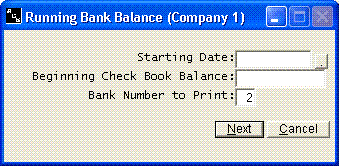
Enter the first date you want shown on your running bank balance.
Use MMDDYY format. You will also be asked the checkbook balance as of that date.
You can get this balance from your bank reconciliation or from a previous running
balance report.