
The Create Check Book System Files option will allow you to create the files used in setting up the ACS checkbook system on a separate PC. The chart of accounts, vendor records, and payroll records can all be transferred to the checkbook system. This option would only be useful if you are running the ACS Checkbook system on a separate PC.
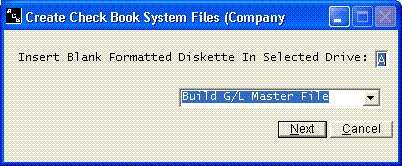
Enter the drive letter where the files should be written. Older installations used a diskette drive; if you do not have one, enter C and move the files to the other computer on a CD or flash drive. Then choose Build G/L Master File to create both the chart of accounts and the payee records (vendors and payroll employees), or Build Payee File to create only the payee records, and click Next.
The checkbook system contains options to read these files and build the vendor file and chart of accounts.