
This program prints the annual W-2 forms. You must use the specific forms for which the program was designed. There are always several different approved W-2 formats on the market, so be careful to obtain the format you need. Since the W-2 formats are not approved until late in the year, your system may contain a program that was written for the prior year format. Be sure you get the latest version of the W-2 program and a sample of the new forms before you order forms.
This program can be found on under Annual on the menu.
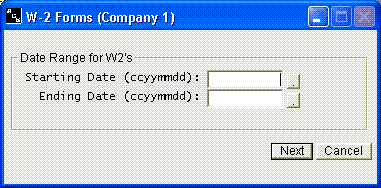
You must enter the date range for totaling earnings on each employee. Normally it would be for an entire year and you would use the first and last days of the year.
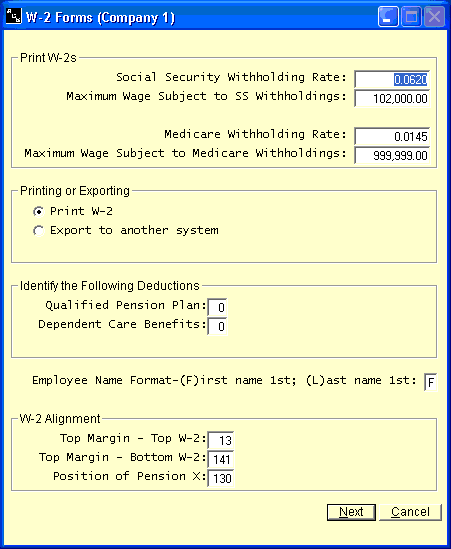
Enter the Social Security and Medicare withholding rates, and the maximum wage subject to each, for the tax year you are printing. Check the current Social Security wage base each year. The system does not take these amounts from the company information file, since many users enter the new rates there before the W-2s are printed.
Then choose where the W-2s go. Print W-2 prints on preprinted forms; choose the copy, whether to print the form background, and check Print W-3 also to print the transmittal form. Export for Social Security Administration creates the electronic file for filing online; you will need your BSO User ID and submitter contact information. Export for Advanced Micro Solutions creates a file for that W-2 software. Enter the Export File name; [CompanyNumber] and [TaxYear] in the name are filled in for you.
If you have a pension plan or dependent care benefits and you are required to mark the box on the W-2, you must identify which deductions you are using for either of these. You have 20 miscellaneous deductions available to you. You must begin counting with the first one and count down to determine the number of either of these deductions. This number is the answer that is required on this screen.
To line the printing up with your forms, click Margins and adjust the distance from the top of each form and the left margin, in millimeters.
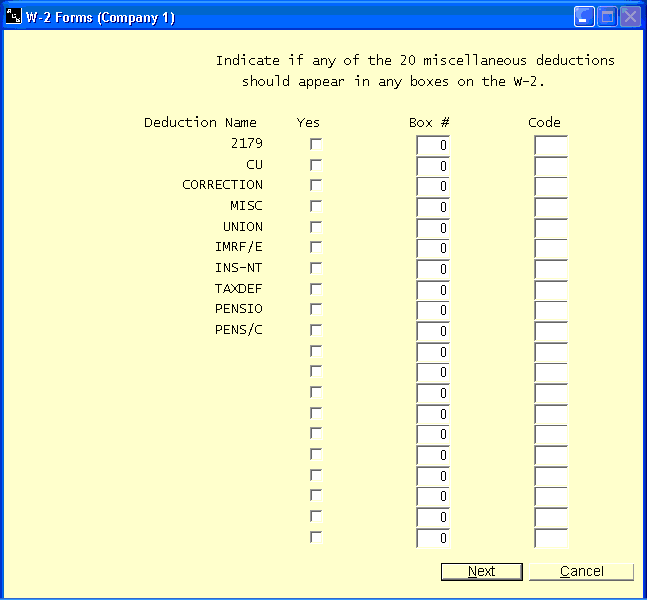
If any of the 20 deductions need to be printed in a special box (such as Box 12) on the W-2, indicate such by checking that deduction and by entering the W-2 Box number where you want the information printed. You also have to enter the code that should be displayed in the Box beside the amount. The easiest way to determine if a deduction should be printed is to call the Insurance provider. Ask them the code at the same time.
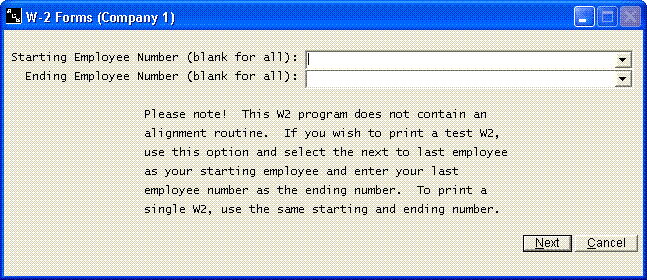
If you wish to print a single test W-2, enter the same beginning and ending employee #. If you wish to print all W-2s, leave both the beginning and ending employee number as blank.
If you indicated in the company information file that you were subject to local withholding, you will be asked some questions about local withholdings. You will have to enter the name of the local taxing entity. If all employees have the same locality, you would enter the locality name. If all employees are not in the same locality, you would enter YES, and as each W-2 is printed, you will have the ability to enter the locality name. You would enter NO if you do not wish to answer the locality name, or simply wish to type the name in later.
If you have multiple state withholdings, this W-2 program will first prepare the Federal copies of the W-2 forms. It will summarize and print the first state name and withholdings it encounters on each employee. The system will then prepare the additional state copies of the W-2 forms after all other W-2 forms have finished printing..